
Clips with in and out points
Mark in and out points in the preview player, or type the times, and B-ROLL downloads only that part.
Title [mm-ss to mm-ss] · preview needs VLC

A free YouTube downloader made by a video editor, for video editors.
B-ROLL is a free, donation-supported desktop YouTube downloader for video editors: it downloads videos, clips, playlists and channels, converts them automatically into edit-ready ProRes or DNxHR (or saves MP4, MKV, WEBM or audio), and includes built-in trimming, subtitles and automatic creator credit files.
macOS and Linux versions are planned, not released yet.
Free forever, supported by donations. No account, no ads.
At a glance
B-ROLL is a Windows app that turns YouTube links into files an editor can use, and it never asks for an account or money.
%LOCALAPPDATA%\Broll.Features
B-ROLL covers the eight jobs between a YouTube link and a timeline, from trimming a clip before it downloads to writing the credit line. Each card opens the full feature page.
Mark in and out points in the preview player, or type the times, and B-ROLL downloads only that part.
Title [mm-ss to mm-ss] · preview needs VLC
B-ROLL downloads the best streams, then converts them into an edit-ready .mov at the lightest tier that preserves the source.
Resolution and frame rate kept
Paste a playlist or channel link, then pick videos from a list, take the latest few, or download every video.
Channels: switch on in Advanced options
Queue every YouTube link in a .txt file, or a bookmark folder from Chrome, Edge or Brave.
One queue you can reorder
Choose from the languages each video really has, official or auto-generated, as files or embedded.
SRT, ASS, VTT or embedded
Save only the soundtrack as MP3, M4A, WAV, FLAC or OPUS, in its own folder if you want one.
Separate audio folder
Every download gets a .credits.txt with title, creator, link, upload date, license line and a ready credit line.
On by default
Each card shows the bitrate measured on the finished file, so you see what you actually got.
Real bitrate 8.2 Mbps · 1080p
Every option in one place: B-ROLL settings and advanced options explained.
Made for editing
B-ROLL converts YouTube downloads into ProRes or DNxHR .mov files, the intraframe codecs editing apps scrub without effort. As of September 2026, files straight from YouTube usually carry long-GOP AV1 or VP9 video, which plays heavy on a timeline.
Step-by-step imports: download YouTube videos for DaVinci Resolve and for Premiere Pro and After Effects. The format itself: download YouTube videos in ProRes or DNxHR.
Target: 10 x 8 Mbps80 Mbps or moreDNxHR LB, 36 Mbpstoo lightDNxHR SQ, 124 MbpspickedProRes 422 Proxy, 45 Mbpstoo lightProRes 422 LT, 102 MbpspickedClips, not whole videos
B-ROLL downloads only the range between your in and out points, so a 30-second cutaway from a two-hour stream arrives as a 30-second file.
The preview player needs VLC media player installed; without it, B-ROLL asks for typed start and end times. The details: YouTube clip downloader with preview and in and out points, or the task itself in how to download part of a YouTube video.
Interview [02-10 to 02-38].movpart 1Interview [05-02 to 05-19].movpart 2Interview [02-10 to 02-38].credits.txtcreditInterview [05-02 to 05-19].credits.txtcreditcredits.txtfolder logCredits built in
B-ROLL writes a .credits.txt next to every file and appends the same block to a running credits.txt in the folder, so the source list is ready when the edit locks. The option is on by default.
Each block holds the title, creator, channel, source link, upload date, license line and a copy-paste credit line. The License line is what yt-dlp reports, and it reads "Standard YouTube License" when nothing is reported, so check the license on the video page: the file is a convenience, not proof of rights.
More on the files: automatic credit files for every YouTube download. Wording for the end credits: how to credit a YouTube video.
Title:     Harbor at Dawn, Drone Footage
Creator:   Example Channel
Channel:   https://www.youtube.com/@examplechannel
Source:    https://www.youtube.com/watch?v=VIDEO_ID
Uploaded:  2025-05-17
License:   Standard YouTube License

Credit (copy-paste):
"Harbor at Dawn, Drone Footage" by Example Channel
https://www.youtube.com/watch?v=VIDEO_ID
How it works
B-ROLL turns a YouTube link into a file your editing app opens in four steps. The install and first download guide walks through each one.
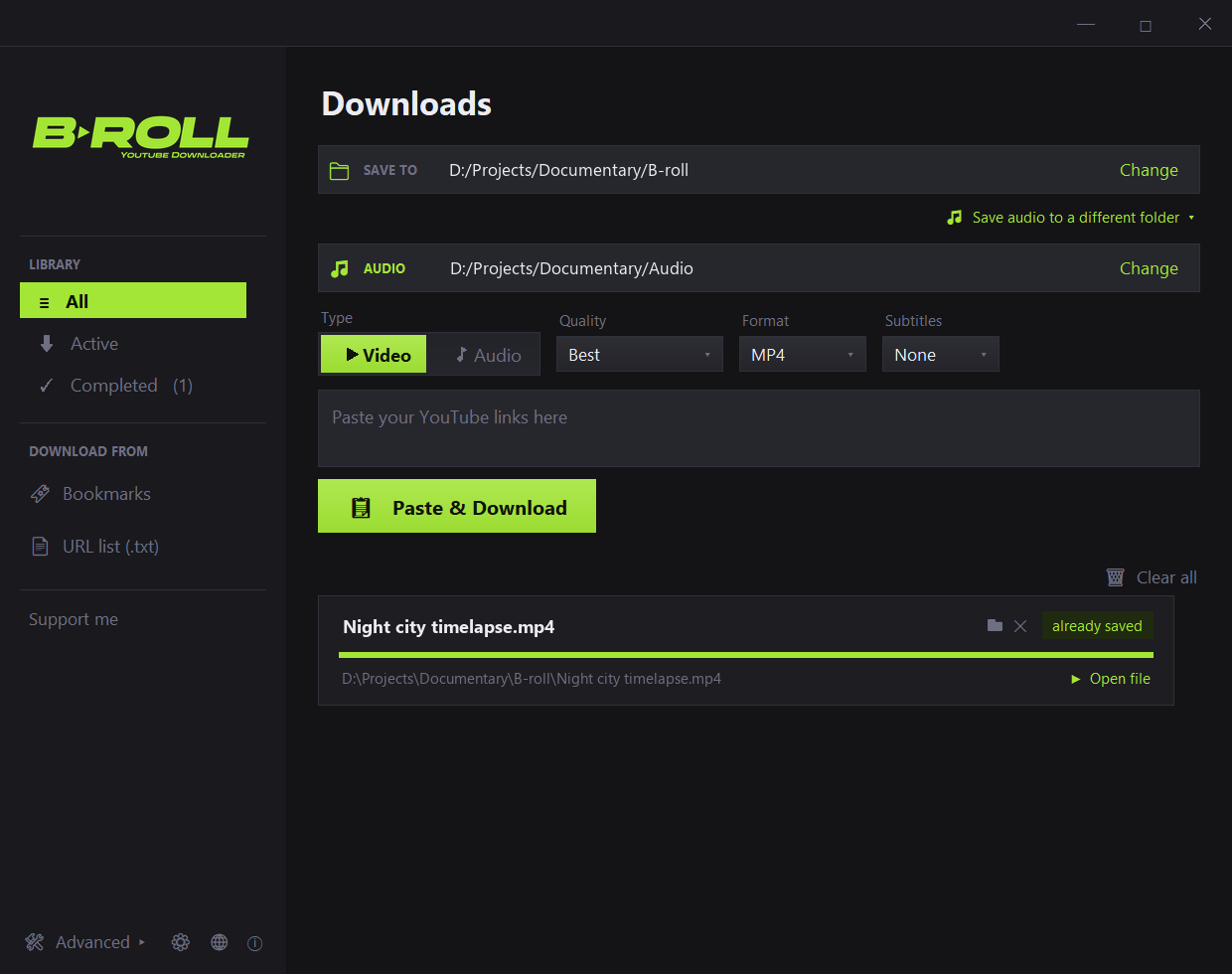
Paste one or many links and press Paste & Download, or type words to search YouTube inside the app.
Pick Video or Audio, a quality cap, a format such as ProRes or DNx, subtitles, and a part of the video if you only need a clip.
yt-dlp fetches the best streams. For ProRes or DNx, ffmpeg converts the file next, on every CPU core, while the next download starts.
The file, its .credits.txt and any subtitles land side by side in your folder, ready for the media pool.
Before you download
Four checks decide whether a YouTube download is ready for a timeline: the codec, the real bitrate, the part you need, and the credit.
The table compares the common ways to get YouTube footage by what an editor needs from them.
| Way to download | Setup | ProRes or DNxHR output | Trim before download | Credit record |
|---|---|---|---|---|
| Online downloader sites | A web page, no install | Rarely offered | Sometimes | Not usually |
| Browser extensions | A browser add-on | Rarely offered | Rarely | Not usually |
| Paid desktop downloaders | A paid desktop install | Varies by product | Varies by product | Varies by product |
| Command-line tools (yt-dlp with ffmpeg) | Typed commands | With your own ffmpeg command | Yes, with a sections option | Metadata only, no ready credit line |
| B-ROLL | Free Windows app | Yes, converted after the download, tier picked per video | Yes, in the preview player or by typed times | Yes, a .credits.txt per file |
Criterion by criterion, with the risks of each: online downloader vs desktop app vs browser extension.
Knowledge base
The site is organized in 7 sections, from step-by-step guides to codecs, fixes and the rules for crediting creators.
Clip ranges, ProRes and DNxHR conversion, playlists, subtitles, audio, credit files and settings, one page each.
Step-by-step workflows by editing app and by job: first download, Resolve, Premiere, clips, subtitles and organization.
ProRes and DNxHR tiers, YouTube codecs, bit depth, containers, bitrate, audio and subtitle formats explained for editors.
Cause-then-fix pages for bot checks, cookies, 403 errors, low resolution, stuck downloads, the preview player and NLE playback.
Downloader categories compared on quality, safety and cost, plus plain explanations of yt-dlp and ffmpeg.
Credit formats, Creative Commons, fair use, claims and strikes, and permission templates for editors. Sourced, not legal advice.
Release notes and behind-the-scenes posts from the editor who builds B-ROLL.
Start here
6 pages that answer the first questions editors bring to B-ROLL: clips, codecs, credits and sign-in prompts.
Download only the parts of a YouTube video you need: preview it, mark in and out points with I and O, and get one file per part named by its time range.
Get YouTube videos as edit-ready ProRes or DNxHR .mov files: B-ROLL downloads, then converts each file, picks the tier and keeps resolution and frame rate.
For editing, download YouTube videos as a ProRes or DNxHR .mov: intraframe and 4:2:2. When MP4, MKV or WEBM fit better, and why a transcode adds no detail.
You can use a YouTube clip with a right to it: your own footage, permission, a CC BY license, or fair use or fair dealing. Credit is not permission.
YouTube's "Sign in to confirm you're not a bot" fix, in order: update yt-dlp, let B-ROLL try your login, then add a cookies.txt from your own account.
For DaVinci Resolve on Windows, download YouTube footage as a DNxHR or ProRes .mov, not VP9 or AV1: a decision table by codec and edition, plus import steps.
The project
B-ROLL is a graphical app made by a video editor, and the engineering underneath belongs to the open-source projects listed here. Ema Zamboni designed and tested B-ROLL with Claude as coding assistant; the app stands on the work of the people who build these tools.
Does every download, lookup, search and subtitle fetch, and reads the metadata for the credits files.
Merges the video and audio streams, cuts clips, converts to ProRes or DNxHR and embeds subtitles.
The JavaScript runtime yt-dlp uses for YouTube, and the runtime of the local helper.
A local helper, with its yt-dlp plugin, that yt-dlp uses when it talks to YouTube.
The language and runtime B-ROLL is written in.
Draws the window, controls and dialogs, through Python's Tkinter.
Draws the antialiased interface graphics, logos and thumbnails.
Lets you drop files, such as a cookies.txt, onto the window.
The Python binding between B-ROLL and libVLC for the preview and trim player.
Plays the video inside the preview and trim player, through its libVLC engine.
Packages B-ROLL into one exe; its bootloader starts the app.
Builds the Windows installer.
B-ROLL's own source code is not published, and each project keeps its own license. Every component, its license and how the app uses it: open-source credits and licenses. Who makes it: about B-ROLL and Ema Zamboni. Every build: releases on GitHub.
FAQ
6 short answers from the B-ROLL FAQ, each with a link to the page that goes deeper.
All 16 questions, grouped by topic: B-ROLL frequently asked questions.

Windows 10 and 11 today, macOS and Linux planned. No account, no ads. Voluntary donations keep it free.